


Uber Eats: Food and Grocery
4.6383.85K Reviews
App Specs
- Version
- Varies with Device
- Updated On
- License
- Free
- Downloads
- 100,000,000+
- Developer
- Uber Technologies, Inc.
- Categories
- Food & Drink
- Platform
- Android, iOS
Screenshots

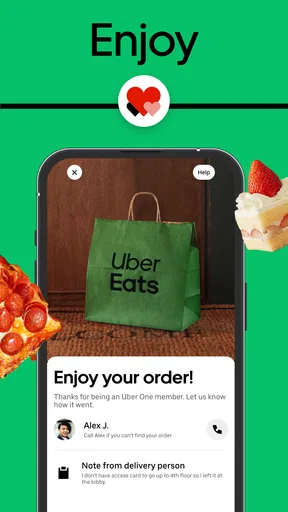
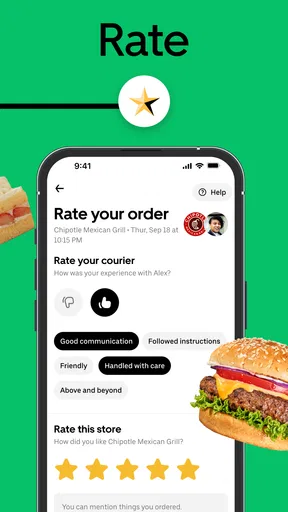
 Analysis by AppCompare
I find food-delivery apps most useful when they remove a small, immediate problem: dinner needs sorting, the cupboard is missing one ingredient, or leaving home simply isn’t practical. Uber Eats: Food and Grocery brings restaurant orders and grocery shopping into one app, which can make those moments easier to manage. I’d treat it as a convenient option rather than a guarantee of the fastest or cheapest way to get every meal; the experience depends on what is available nearby and how smoothly your connection and delivery come together.
When the connection matters
Browsing, choosing items and following an order are all part of an internet-connected experience, so I’d make important choices while I have a steady connection rather than assuming the app will work normally in a dead zone. A weak signal can be especially frustrating when you’re comparing menus or checking the status of a delivery, because those are the moments when fresh information matters. If I’m ordering before a commute or from a spot with unreliable reception, I’d finish the order somewhere with dependable service and check the details before heading out.
That dependence is not unique to this app, but it is worth factoring into how you use it. A paper menu or a phone call may be more practical if your connection is poor and you already know what you want. On the other hand, when I’m deciding between several nearby options, browsing in one place is much less effort than opening separate restaurant pages and trying to compare them from memory.
Guides and Analysis on Uber Eats: Food and Grocery
Useful at home, and on the move
The app makes the most sense when I can enter a clear delivery destination and be available to receive the order. At home, that is straightforward; at work, in a large building or while visiting someone, a little extra care with the location and delivery instructions can prevent a last-minute scramble. I’d take a moment to describe a useful handoff point rather than relying on a courier to guess which entrance or floor I mean.
A realistic use is getting home late and realizing dinner is not going to happen from the ingredients in the fridge. I can compare nearby restaurant choices, place an order, and use the wait to get settled instead of driving back out. For groceries, the app is more helpful when I have a short, specific list—such as breakfast basics or an item needed for tonight’s meal—than when I want to wander through a supermarket and inspect everything in person.
That distinction matters. Restaurant delivery solves the question of what to eat now; grocery delivery can help fill a gap, but it doesn’t replace the control of choosing produce or checking every item on a full weekly shop. If freshness, exact substitutions or browsing are central to the task, I’d prefer shopping myself. For a few essentials, the convenience of ordering from the same app I use for meals can be worth more than making a separate trip.
Tracking, delays and sensible recovery
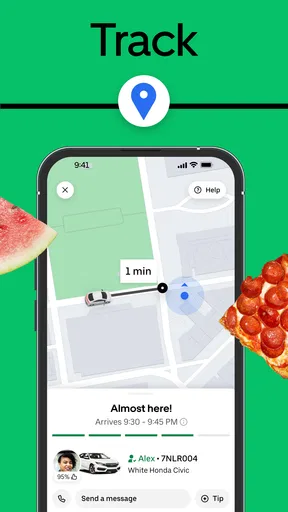
Seeing an order move on a map can be reassuring, but I wouldn’t treat a displayed estimate as a promise. Traffic, restaurant preparation and other ordinary delivery complications can change the wait. If timing is critical—say, food has to arrive before a short break ends—I’d choose another plan rather than build the whole schedule around an estimate. Tracking is most useful as a way to understand progress and decide whether I need to stay near the door, not as a reason to assume the handoff will happen at an exact minute.
Worth Reading Before You Choose

ESPN’s Live Game View Makes Following Close Games Easier

Basketball Stars: Multiplayer Is Fast, but Can It Recover When Matches Go Wrong?

WEBTOON Turns Phone Updates Into a Better Reading Routine

Link to Windows Runs on Shared Habits, Not Social Feeds

How Alibaba.com Dominates the B2B Marketplace

Metro's Quiet Rise: Redefining Mobile Communication
If the screen stops updating, I’d first check whether my phone still has a usable connection and give the app a moment to refresh before taking another action. Repeatedly placing the same order because the status looks stuck could create confusion, so I’d verify the order state before trying again. For a missing or incorrect item, I’d look for the relevant order details in the app and use the available support path rather than assuming the map alone can resolve the issue. That cautious approach is useful in any delivery service, especially when a connection drops at the wrong time.
My practical tip is to check the basket and delivery destination once more before confirming. A saved favorite can speed up a repeat order, but it is still worth reviewing the contents, particularly if you are ordering for someone else or switching from a restaurant meal to groceries. Saved choices are convenient precisely because they reduce repeated decisions; a quick final check helps keep that convenience from turning into an avoidable mistake.
Data, choice and the trade-off
Maps and changing order information can use mobile data, so I’d browse menus and make longer comparisons over Wi-Fi when that is convenient, then use mobile service for the parts that need to happen while I’m out. This is a practical habit, not a reason to avoid the app: the amount of data matters less to many people than having a reliable signal when placing an order or checking its progress. If your plan is limited, keep the map open only when you need it and avoid refreshing repeatedly just to watch for movement.
Against calling a restaurant directly, the app is easier for comparing multiple choices and keeping an order’s progress together in one place. Calling can be better when you have a specific question, need to explain a complicated request, or want to avoid relying on a digital checkout. Compared with collecting food yourself, delivery saves the trip but gives up some control over timing and the final handoff. For groceries, a supermarket’s own service or an in-person visit may be a better fit when you need a large, carefully selected shop; this app is strongest when convenience and a short list are the priorities.
Easy Navigation and Tons of Options
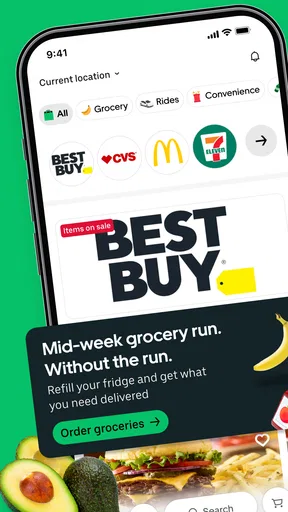
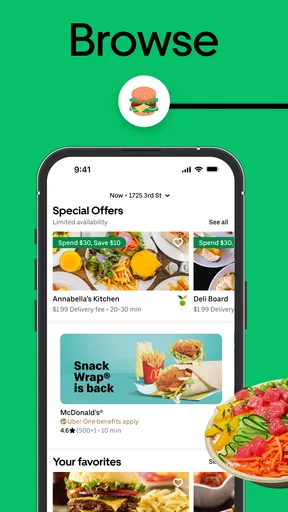
Let me tell you, navigating through Uber Eats: Food and Grocery is a breeze. The interface is super intuitive, and whether you’re tech-savvy or not, you’ll find your way around without a hitch. Once you open the app, you're greeted with a smorgasbord of food choices. It’s like having the world’s cuisine at your fingertips. From local favorites to exotic dishes, the selection is vast.
What’s really neat is how the app categorizes everything. You can filter by cuisine type, dietary needs, or even search for your favorite restaurant directly. There’s a handy feature where you can save your favorite orders, making reordering a cinch. It's like the app remembers your guilty pleasures!
Real-Time Tracking and Quick Delivery
Okay, let’s talk about one of my favorite features: real-time tracking. Once you’ve placed your order, you can see exactly where your food is, thanks to the live map. It’s almost like watching your food journey its way to you, and I find it oddly satisfying. Plus, the estimated delivery times are pretty accurate, meaning you can plan your hunger pangs accordingly.
Delivery is generally quick, especially if you’re in a bustling area. But even if you’re a bit out of the way, the app does a great job of getting your food to you as fast as possible. And the best part? The delivery folks are usually friendly and professional, making the whole experience even better.
Grocery Shopping Made Simple
Now, let's not forget the grocery aspect of the app. It’s like having a mini supermarket right in your pocket. Say goodbye to those long checkout lines! The grocery section is well-organized, with everything from fresh produce to household essentials. You can even find some great deals and discounts if you keep an eye out.
The convenience of having both food and grocery delivery in one place is a huge plus. Whether you’re meal prepping for the week or just need a couple of items, Uber Eats: Food and Grocery has got you covered.
Who it suits, and what to expect
I’d recommend the app most to people who value choice and convenience: someone working late, sharing a meal decision with friends, or trying to avoid an extra errand. It is also useful if you already know what you want and would rather compare options on a screen than call around. The broad audience is reflected in its Everyone age rating, while its free download makes it easy to try before deciding whether delivery fits your routine. Uber Technologies, Inc. is the developer behind it.
There are sensible reasons to skip it for a particular order. If you are watching every expense, compare the complete checkout total with pickup or ordering directly; the convenience of delivery may not be worth the extra cost in your situation. If you need food at a precise time, have a complex request, or want to select each grocery item yourself, a direct call, pickup, or a store visit may give you more control. I see the app as one useful route, not a replacement for those alternatives.
It is also worth separating the app’s convenience from the service area around you. The available choice can vary by location, and a busy neighborhood may offer a very different range from a quieter one. I would check what is actually listed before planning a meal around a particular restaurant or grocery shop. A large catalogue is only helpful when the places and items you want are available where you are.
Small habits that make orders smoother
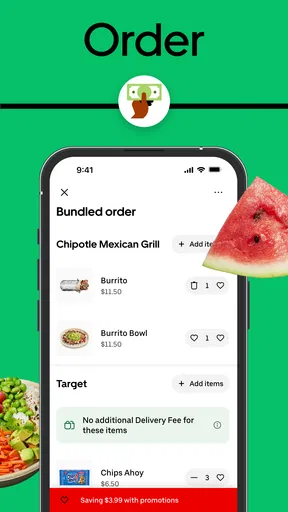
For a shared meal, I find it helpful to agree on the restaurant and a rough budget before browsing too deeply. Otherwise, a large menu can turn a quick decision into a long group chat. Once you have a direction, filters and direct search are more useful than scrolling through everything. Before checkout, I’d review each item and any custom choices carefully; it is easier to catch a wrong side or an unintended duplicate while the basket is still on screen.
For a grocery top-up, I’d build the list around the meal or immediate need rather than treating the app like a full pantry inventory. That keeps the order focused and makes it easier to notice if an essential item is missing. If an exact brand or piece of produce matters, check the item details closely and be prepared to use another option if the selection does not match what you need. The convenience is strongest when flexibility is acceptable.
People often wonder whether the app is only for restaurant meals. In practice, groceries are part of its appeal too, though I’d use that side for convenient top-ups rather than assume it will feel identical to selecting everything in a physical supermarket. Another common question is whether tracking removes uncertainty. It helps me follow progress, but it cannot make preparation or travel perfectly predictable. And if connectivity is patchy, I would place and review the order before moving somewhere with a poor signal instead of relying on repeated refreshes.
Uber Eats is a substantial service rather than a niche download: it has over 100 million installs, around 7.1 million ratings and a 4.6 average, alongside roughly 370,000 written reviews. Those figures suggest that many people use it, but they do not tell me whether a particular local selection or delivery will suit you. I’d judge it by the places available at your address and by whether the convenience is worth the trade-off for your usual routine. The app’s current version is 6.301.10000, and it requires Android 9 or later on Android devices.
Final Thoughts
All in all, if you’re looking for a reliable food and grocery delivery service, this app is a solid choice. It combines ease of use with a wide variety of options, making it a must-have on your smartphone. So next time you’re feeling peckish or need a quick grocery run, give it a whirl. Happy munching!
My connectivity verdict
For me, the best reason to keep the app handy is the way it brings restaurant choices, grocery top-ups and order progress into one place when I have a reliable connection. Its 4.6 average rating and 100M+ installs point to a widely used service, but the practical test is local: check the options for your address, compare the full order with pickup or a direct call, and use delivery when saving time matters more than choosing every detail yourself. It’s a convenient tool for ordinary busy days, not a promise that every order will be effortless.
Pros
- Wide variety of restaurants available.
- User-friendly interface and navigation.
- Real-time order tracking feature.
- Flexible delivery fee options.
- Frequent discounts and promotions.
Cons
- Delivery fees can be high at times.
- Occasional delays in delivery.
- Limited delivery areas in some regions.
- Customer support can be inconsistent.
- Menu prices may be higher than in-store.
FAQs for Uber Eats: Food and Grocery
How does Uber Eats work?
Uber Eats is a food delivery app that connects users with local restaurants and grocery stores. After signing up, users can browse through various menus, place an order, and track the delivery in real-time. The app uses location data to find nearby options and offers various payment methods for convenience.
Is Uber Eats available in my area?
Uber Eats operates in numerous cities worldwide, but availability can vary. To check if it’s available in your area, download the app and enter your location. The app will display a list of participating restaurants and stores if it supports your region.
Are there any fees associated with using Uber Eats?
Yes, Uber Eats charges a delivery fee, which can vary depending on the distance and demand at the time of your order. There might also be a service fee, and some restaurants have minimum order amounts. Occasionally, promotions or discounts are available to reduce these costs.
How can I track my Uber Eats order?
Once you place an order, you can track its progress in real-time through the app. It provides updates on the order status, including when the restaurant is preparing your food, when the delivery partner picks it up, and the estimated arrival time at your location.
What should I do if there's an issue with my Uber Eats order?
If you encounter any problems, such as missing items or incorrect orders, you can report the issue through the app. Uber Eats has a support team to address such concerns. Navigate to the order in question, select the item, and choose the appropriate option to resolve the issue.


